How I Streamlined My Client Process: A Visual Guide to Using HoneyBook for Consultants
By Meg Faibisch Kuhn

Last Updated: March 26, 2025
As a solopreneur running a consulting business for the past decade, I've experienced firsthand the challenges of managing client relationships from start to finish. After years of trial and error with various systems and tools, I've finally found a solution that brings everything together: HoneyBook.
In this visual guide, I'll walk you through exactly how I use HoneyBook to manage my entire client process—from lead capture to payment processing—and how it's transformed my business operations.
The Solopreneur's Challenge
Before we dive in, let's acknowledge a universal truth for service-based business owners: managing the administrative side of client relationships can be overwhelming. As solopreneurs, we're juggling multiple roles simultaneously, and the last thing we need is a fragmented system that adds more complexity to our already busy lives.
That's where HoneyBook comes in. For the past two years, this platform has been my business partner behind the scenes, helping me create a seamless process for my clients while reducing my administrative workload significantly.
My Complete Client Process with HoneyBook
1. Lead Capture: Making the First Impression Count
Most of my clients find me through social media and land on my website. When they click "Work with Me," they're presented with a clean, professional form created in HoneyBook:
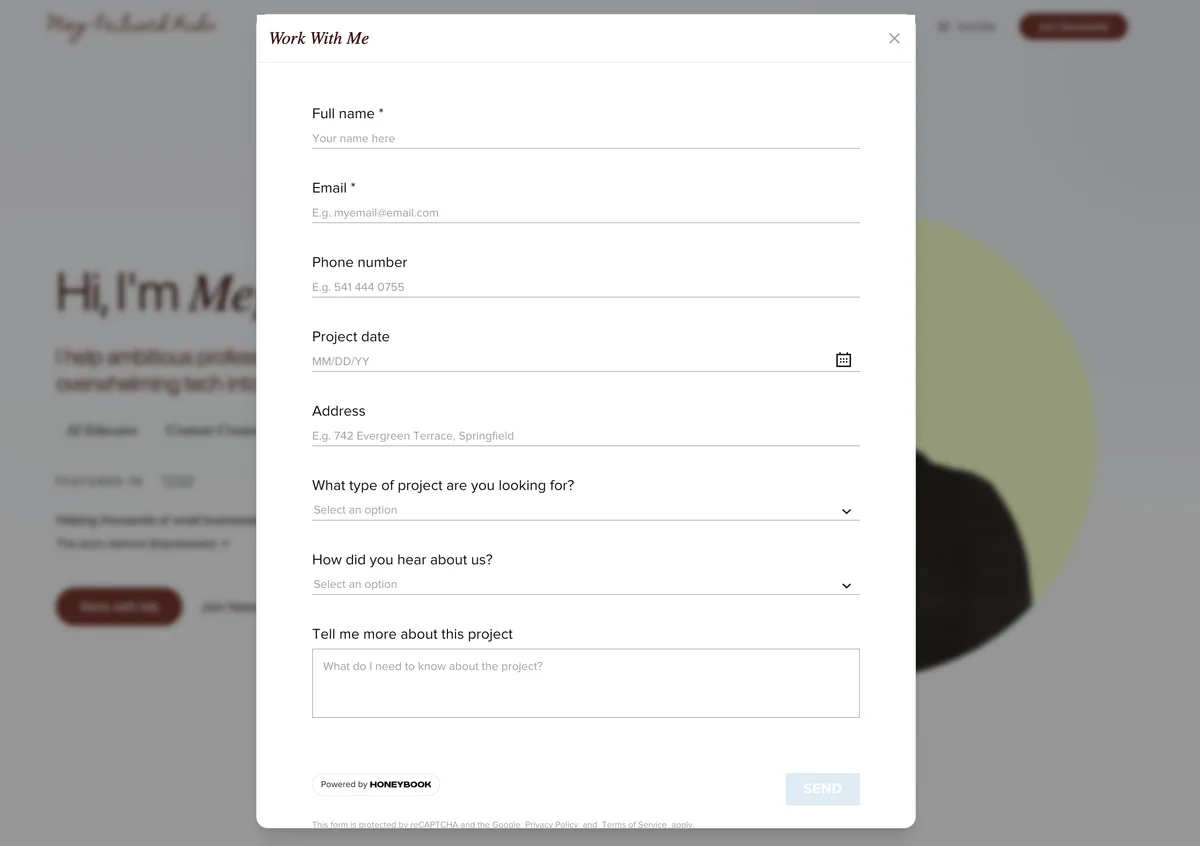
The beauty of this system is its simplicity:
- The form was created directly in HoneyBook using their contact form feature
- I customized it to match my brand's colors and fonts
- HoneyBook generates an embed code that integrates perfectly with my website
For those using AI website builders like I do, implementation is incredibly straightforward—just paste the code and instruct the AI to embed the form.
Why This Matters
When a potential client submits this form, they immediately enter my ecosystem. I receive a notification, and a new project is automatically set up in HoneyBook. This eliminates the risk of leads falling through the cracks or getting lost in a crowded inbox.
2. Initial Response: Making Quick Work of Follow-Ups
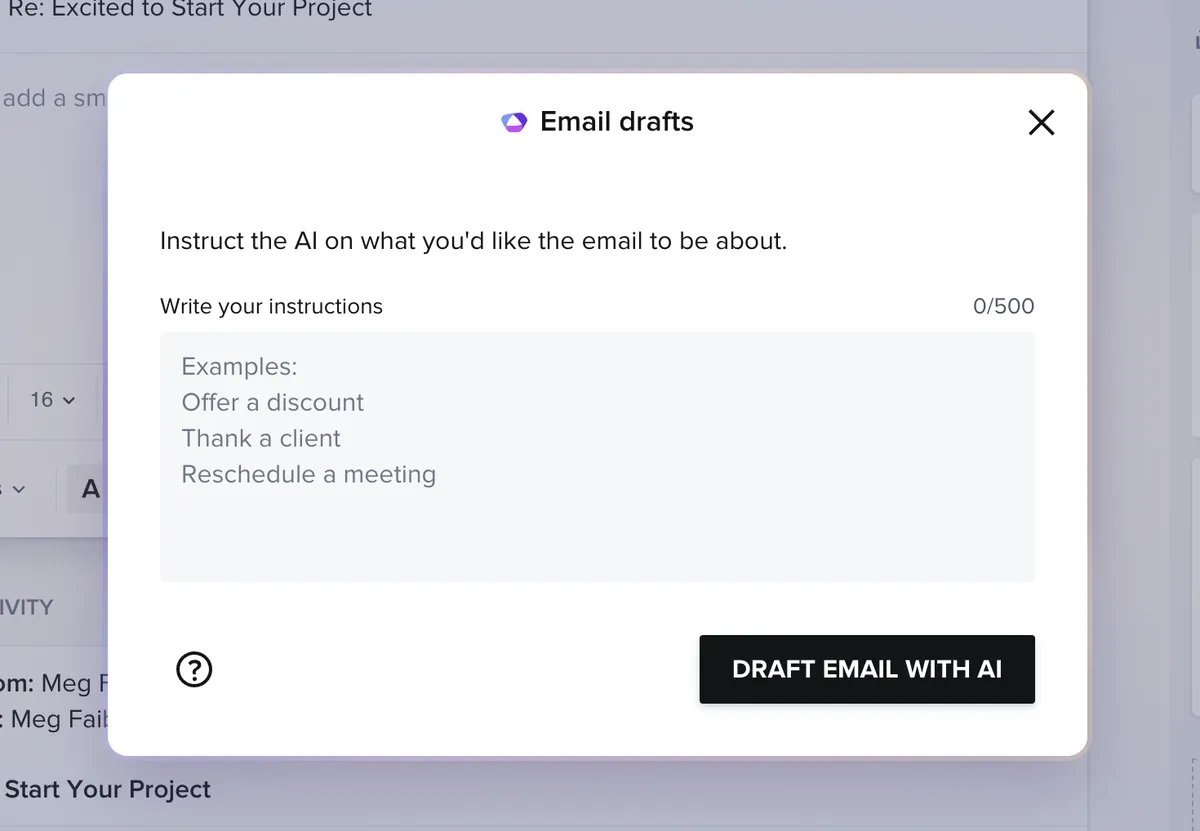
One of my favorite features is HoneyBook's AI-powered response system. As soon as a new inquiry comes in, HoneyBook automatically:
- Creates a dedicated workspace for this potential client
- Drafts an initial response based on the inquiry content
- Allows me to customize the tone (friendly, casual, informative, persuasive)
- Gives me the opportunity to add my personal touch before sending
This feature alone has saved me countless hours. Rather than starting from scratch with each response, I'm able to quickly refine an AI-generated draft, maintaining my voice while cutting down on response time.
As someone who occasionally experiences the "blank page problem" (that moment of dread when facing a new task), this bias toward action helps maintain momentum in my business.
3. Scheduling: Eliminating the Back-and-Forth
Remember the days of "What time works for you?" followed by multiple emails to find a suitable meeting time? Those are gone.
Within the same client workspace, I can:
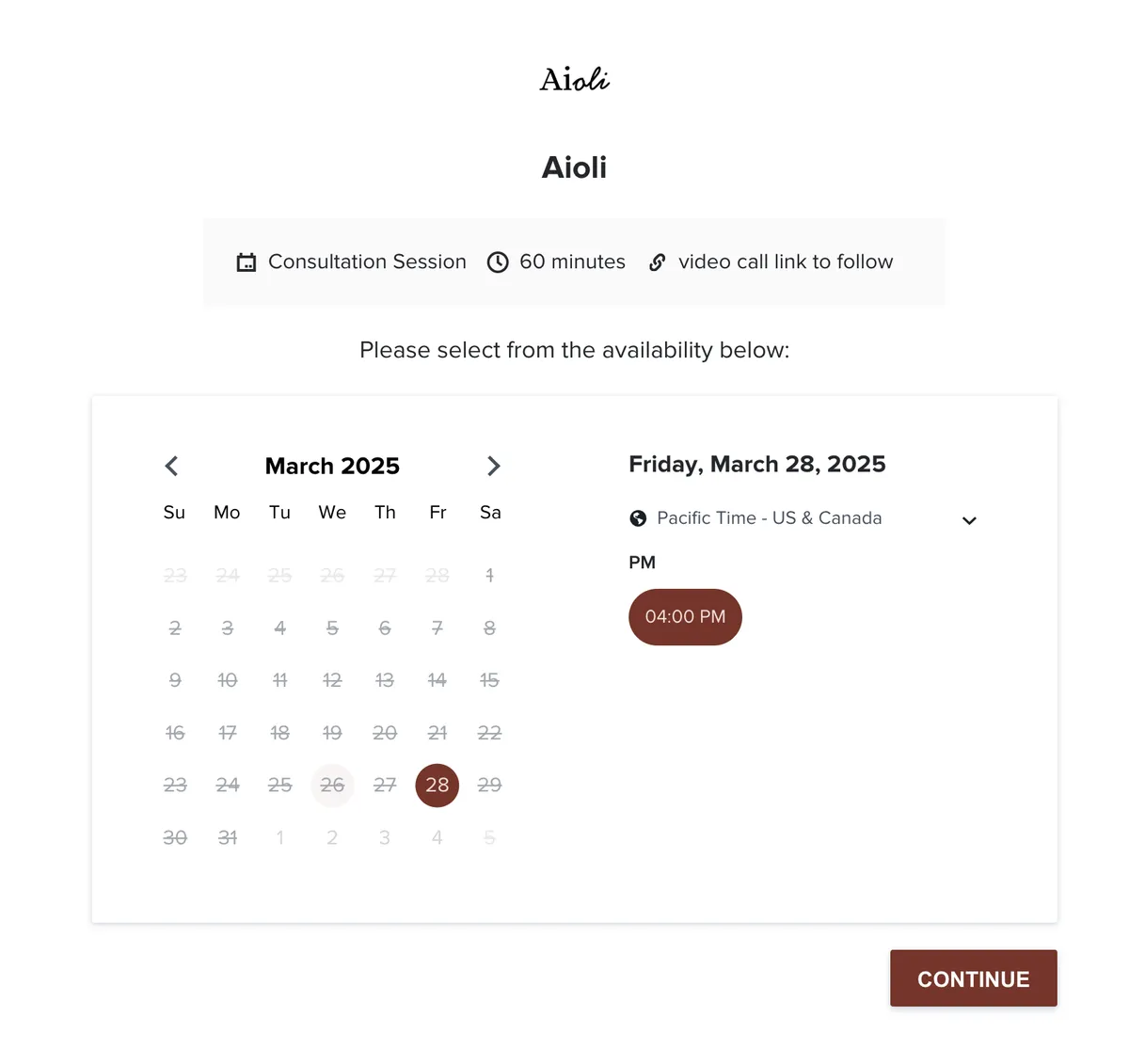
- Insert my session availability directly into emails
- Show clients my next three available time slots
- Provide a calendar link where they can select any available time
- Automatically generate meeting links (I prefer Google Meet)
- Sync everything with my calendar
The session scheduler works similarly to Calendly but lives directly within the HoneyBook ecosystem—one less tool to manage and pay for.
4. Client Workspace: The Single Source of Truth
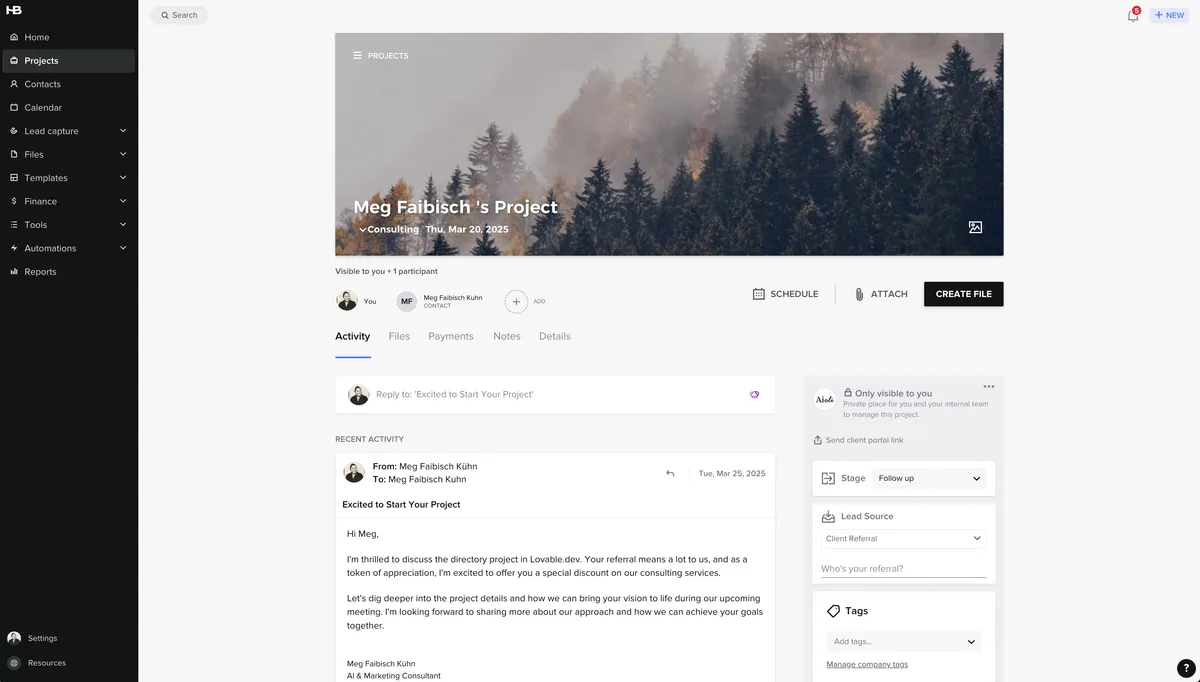
Once a lead becomes a potential client, their HoneyBook workspace becomes my command center. This is where I:
- Track all correspondence in one place (no more digging through emails!)
- Log project details and notes
- Monitor which stage of the process we're in
- Track lead sources to optimize my marketing efforts
- Log billable hours for hourly clients
For time tracking, I simply enter:
- What I worked on
- How many hours I spent
- My hourly rate
When I mark these entries as "billable," they automatically populate invoices based on billing periods I define.
I can also set up tasks with specific deadlines for different project deliverables, which helps maintain accountability when no one else is there to keep me on track.
5. Proposals and Contracts: Professional and Streamlined
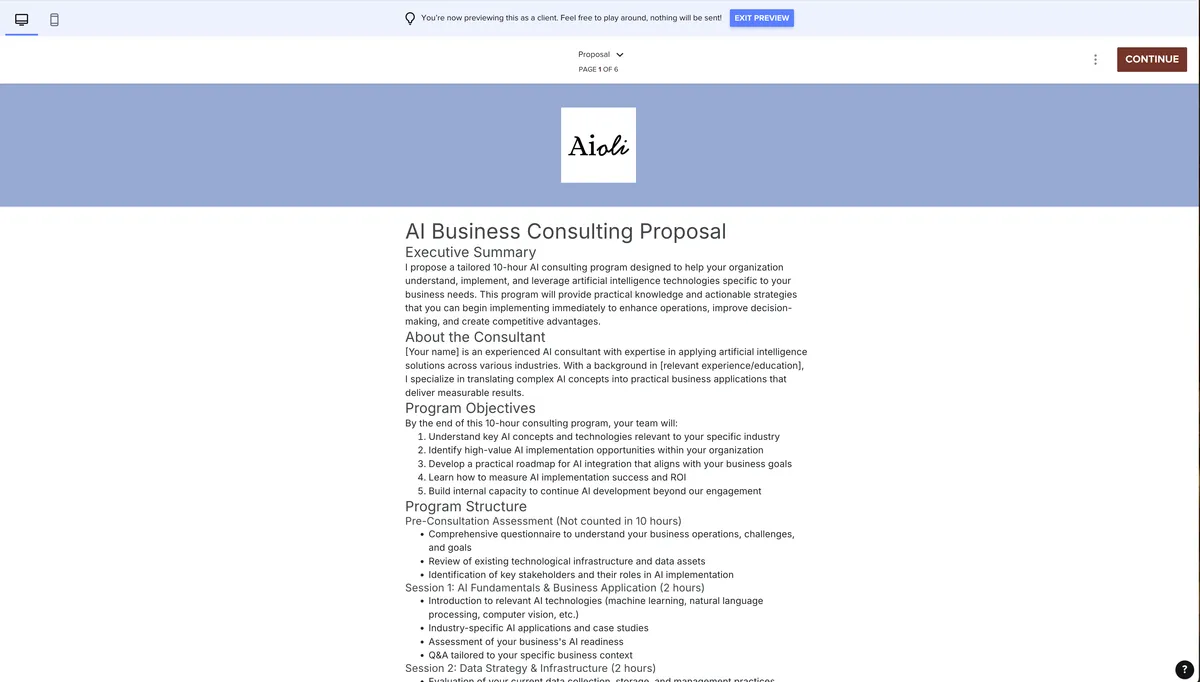
After meeting with a client to understand their needs, it's time to create a proposal. HoneyBook allows me to:
- Create custom "Smart Files" that combine proposals, contracts, and payment options
- Use templates I've already designed for different types of projects
- Customize every element to match the specific client's needs
My typical Smart File includes:
- A detailed proposal outlining deliverables
- Pricing information with payment schedules
- A professional contract with smart fields that update automatically
- Payment options
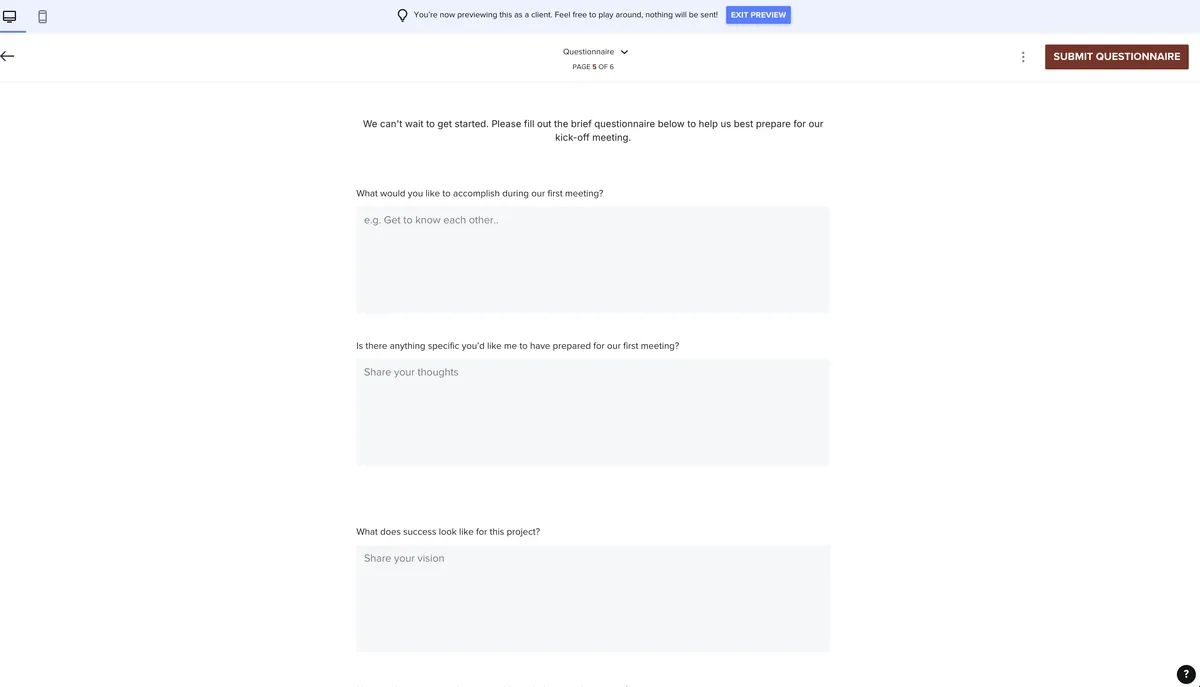
- A post-booking questionnaire
- Clear next steps
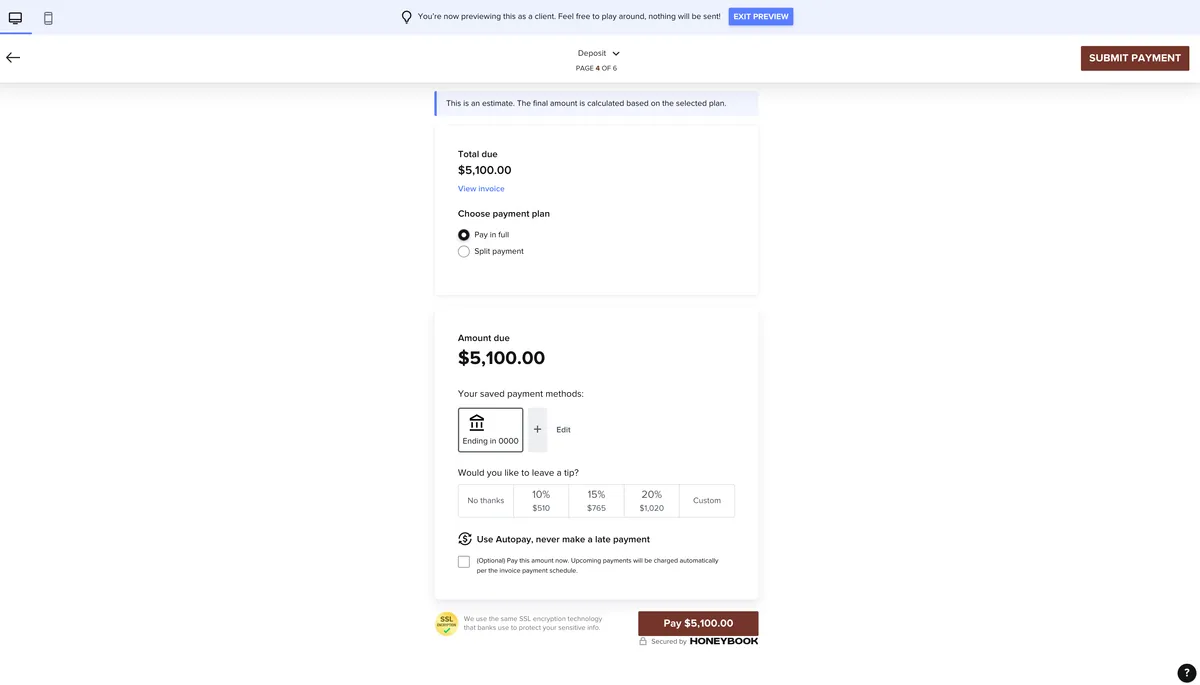
The payment section is particularly impressive, allowing me to:
- Set up deposits (I typically require 50%)
- Create milestone-based payment schedules
- Automate invoice sending when milestones are marked complete
- Offer various payment methods (credit card, bank transfer)
- Set up auto-pay options and late fees if needed
- Accept Google or Apple Pay for client convenience
6. Client Experience: Details That Make a Difference
The final page of my Smart File always includes next steps that automatically display after payment. This seemingly small touch serves an important purpose: it provides immediate gratification and clarity for clients who have just made a significant investment.
Since I can't always be at my computer when a client signs and pays, this automated response ensures they never experience the anxiety of wondering "what now?" after committing to working with me.
HoneyBook also allows me to preview the entire client experience, including how everything looks on mobile devices—ensuring a professional experience regardless of how clients access the information.
Why This Matters for Solopreneurs
As a solopreneur, discipline and self-motivation are critical. Tools like HoneyBook help by:
- Reducing the mental load of managing multiple systems
- Creating natural momentum through partially automated workflows
- Maintaining professionalism even when you're a one-person operation
- Freeing up mental space to focus on your actual expertise
Most importantly, having this streamlined system means I spend less time on administrative tasks and more time on meaningful work with clients—work that actually generates revenue and satisfaction.
Ready to Streamline Your Client Process?
If you're currently juggling multiple tools for your client process or feeling overwhelmed by administrative tasks, I highly recommend giving HoneyBook a try. The platform offers a 7-day free trial. Try it out here using my link.
What started as a trial for me has turned into a two-year (and counting) relationship with a platform that genuinely makes running my business easier. Whether you're just starting out or looking to optimize an established service-based business, HoneyBook provides the structure and automation needed to create a professional, efficient client experience.
This post is sponsored by HoneyBook. As someone who has been using their platform for two years, I'm genuinely excited to share how it's transformed my business operations.
Have you tried HoneyBook or another client management system? I'd love to hear about your experience in the comments below!